

8 min read
AI in Engineering: What Changes, October 2026
Explore what AI in engineering changes for mechanical engineers in October 2026, from mesh setup to predictive maintenance.
Magda Smith

You probably didn't get into mechanical engineering to spend an hour rebuilding a mesh after a minor geometry edit. The application of AI in engineering that's worth paying attention to right now targets exactly those kinds of tasks: repeatable, rule-bound work that burns time without producing new insight. What changes for you, and what stays the same, is worth looking at clearly.
TLDR:
AI agents handle FEA pre-processing, mesh rebuilds, and DoE sweeps inside your existing tools; you review and sign off
Generative design searches geometry within constraints you define, producing candidates optimized for strength-to-weight ratio
AI-driven predictive maintenance can cut equipment downtime by up to 50% and reduce maintenance costs by 10-40%
Precise, constraint-rich prompts determine output quality; vague briefs produce results you'll spend time correcting
Argus runs inside SolidWorks, Ansys, Abaqus, COMSOL, and six other tools, executing geometry cleanup, simulation setup, GD&T checks, and report generation with your files never leaving your environment
What AI Actually Does in Engineering Today
That mesh rebuild is one example; AI in engineering has moved well past the chatbot phase. What's real now: machine learning models that predict where a mesh will fail before you run the solver, generative design tools that output geometry variants against constraint sets you define, and AI agent use cases like setting up boundary conditions, running a parametric sweep, and flagging where the design trade-offs live, all inside tools like Ansys or SolidWorks.
Who makes the call hasn't changed. The engineer still reviews, approves, and signs off. AI handles the setup work and surfaces the options. You decide what ships.
The categories where AI has measurable traction in engineering right now:
Design space exploration and generative geometry
Simulation pre-processing and solver diagnostics
Predictive maintenance on production equipment
Automated drawing generation and standards checking
Parametric DoE sweeps with synthesized result tables
Anywhere you find a repeatable, rule-bound task sitting between an engineer and actual design thinking, that's where AI is doing real work in 2026.
AI in Design and Generative Design
Generative design gets misrepresented constantly. The pitch sounds like you describe a part and AI builds it. The reality is more constrained, and more useful.
What actually happens: you define load cases, keep-out zones, material properties, and manufacturing method. The algorithm then searches geometry within those bounds, producing candidates that meet the criteria, not the ones you would have sketched. The results are often organic, biomimetic shapes that outperform traditional designs in strength-to-weight ratio, precisely because the algorithm isn't anchored to how you'd draw it by hand.
Topology optimization sits in the same family. Feed it a design space and a stress distribution, and it removes material from regions that aren't carrying load. Recent peer-reviewed research on generative AI-driven topology optimization shows mass reductions above 70% on aerospace components, a result that gets practical on parts going to additive manufacturing, where conventional geometry constraints don't apply.
What you still own: the constraint setup. Garbage constraints produce geometry that's optimal for the wrong problem. An engineer who doesn't understand the load path can't write the brief that produces a useful result. AI searches the space you define; it can't define it for you.
Iteration speed is where the day-to-day change shows up. The distinction between passive assistants and agents that act matters here, since agents that can modify geometry, remesh, and requeue a study inside your existing tools compress that loop considerably, without requiring you to leave the environment you're already working in.
AI in Simulation and Finite Element Analysis
Simulation work has always had a tax on engineering time that has nothing to do with the physics. Setting up contact pairs, assigning material cards, tuning mesh density around stress concentrations, figuring out why the solver diverged at step 3. These are learnable tasks, but they are not engineering judgment. That is where AI has the most traction in FEA right now.
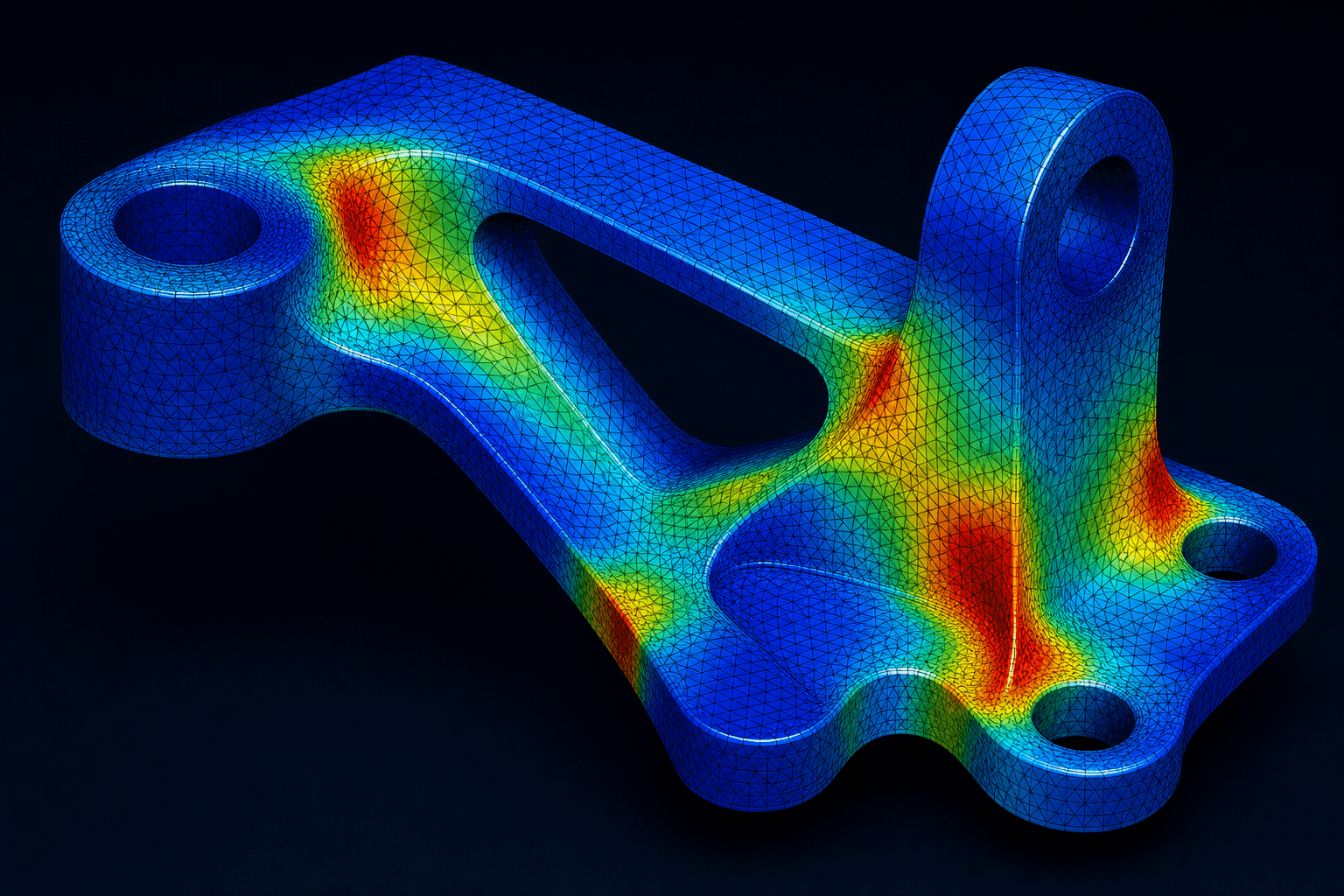
In pre-processing, engineering AI that works above individual platforms can read a geometry file, propose boundary conditions based on the load scenario you describe, and flag ambiguities before committing. The checkpoint matters here: Argus presents a complete model summary and asks for sign-off before executing. You see what it's about to do, catch anything that doesn't match design intent, and then let it run.
Rebuilding a mesh after a geometry edit burns an hour for something that produced no new insight. Agents that remesh within the simulation environment, without exporting to a separate tool, cut that loop down considerably.
Solver diagnostics are underrated as a use case. When a job diverges, the error message is often opaque. AI trained on solver behavior can read the log, identify the likely source, and propose a fix: adjusting contact stiffness, reducing the time step, or flagging a poorly conditioned material definition.
Results interpretation is where the ceiling shows up. AI can annotate plots, generate a draft report with labeled geometry and a plain-language findings section, and flag where stress exceeds a threshold. The call about whether that peak matters, given the load history and failure mode, stays with you.
AI in Predictive Maintenance and Condition Monitoring
Vibration data, temperature readings, pressure trends, motor current draw. A machine producing all of these simultaneously generates more signal than any maintenance tech can watch continuously. AI doesn't get tired of watching.
Predictive maintenance works by training models on historical sensor data, including the signatures that preceded past failures, then flagging anomalies in live streams before they become breakdowns. McKinsey research estimates that AI-driven predictive maintenance can reduce downtime by up to 50% and cut maintenance costs by 10 to 40%. That range reflects real variation in implementation quality, not a best-case scenario.
Reactive maintenance waits for failure. Scheduled preventive maintenance replaces parts on a calendar with no relationship to actual wear. AI-driven prediction replaces both with intervention timed to actual equipment condition. The range in outcomes, downtime reduction anywhere from modest to dramatic, cost savings varying by a factor of four, comes down to two things: how complete the historical failure data is, and how mature the sensor instrumentation is across the facility.
Where this gets complicated is data quality. Models trained on clean, labeled historical failure data perform well. Facilities running older equipment with inconsistent sensor coverage need careful instrumentation work before predictions become reliable.
Human judgment stays in the loop on the response side. The model flags a bearing showing early-stage wear signatures. A maintenance engineer reviews the alert, cross-checks against the production schedule, and decides whether to pull the asset now or run it to the next planned window.
AI in Smart Manufacturing and Robotics
Factory robots have always been fast and repeatable. What they've lacked is the ability to adapt when something unexpected shows up: a misaligned part, a new variant, a change in upstream supply. AI is where that gap is closing.
Computer vision systems mounted above assembly lines inspect parts at speeds often faster than manual sampling-based QC, flagging dimensional deviations, surface defects, or assembly errors in real time. The model runs the check on every single part, not a statistical sample. Setting the accept/reject criteria still belongs to the quality engineer.
Where this connects to the CAD-to-floor loop: when a vision system flags a consistent dimensional deviation across a run, that signal typically needs to trace back to a drawing tolerance or a fixture setup. Argus can cross-reference the flagged dimension against the GD&T specification in the originating SolidWorks or Creo file, identify whether the tolerance band was set correctly, and generate a summary that the manufacturing and design teams can act on in the same session. The loop from inspection alert to drawing review closes inside the tools, not across emails and PDFs.
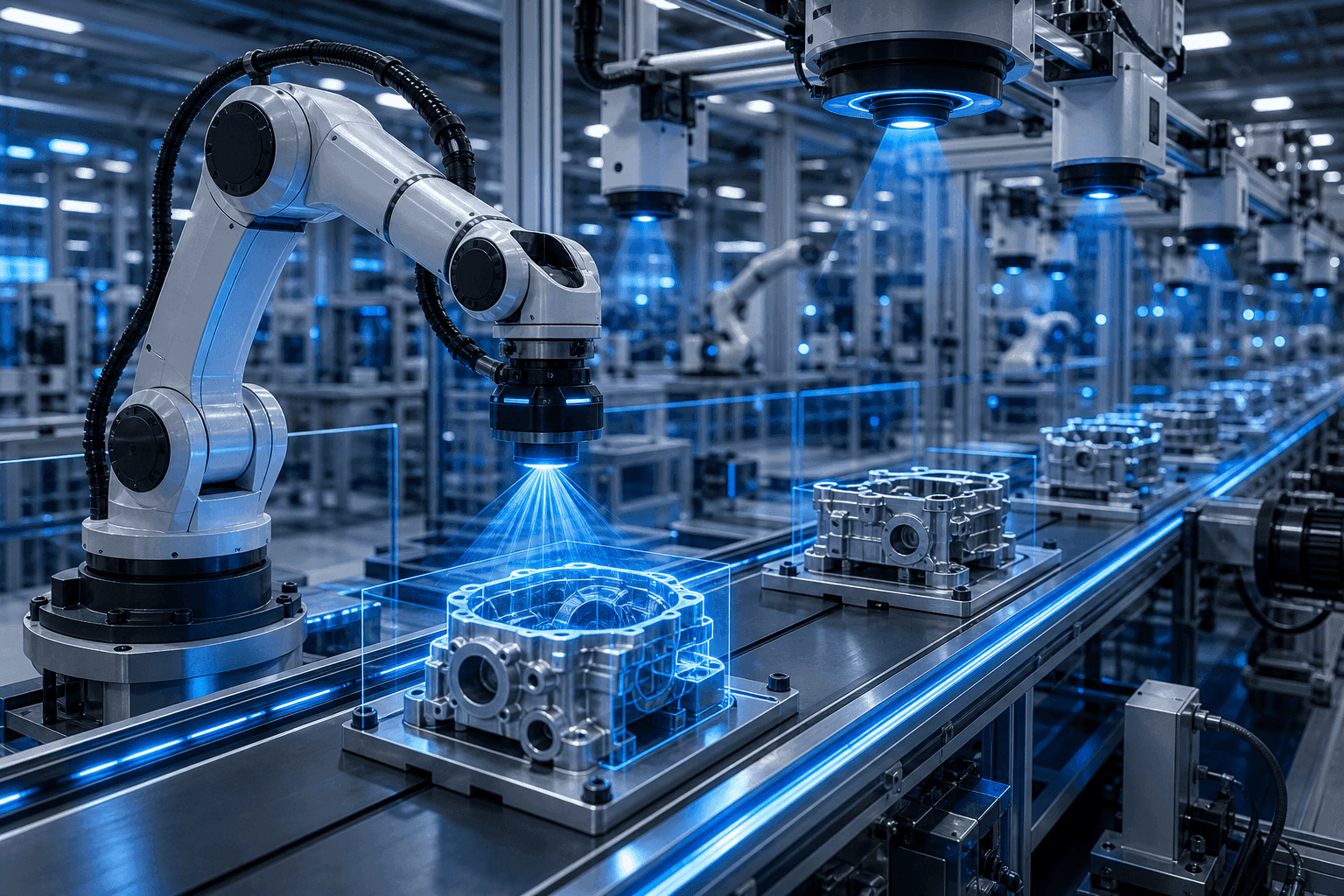
On the robotics side, adaptive path planning lets arms adjust grip, force, and approach angle based on sensor feedback. This matters most in mixed-model assembly, where the same cell handles multiple variants without a hard retooling stop between them. Getting the updated path parameters into the simulation environment quickly, remeshing the contact geometry, re-running the clearance check, is exactly the kind of pre-processing loop that AI agents compress. A change that used to mean an hour of manual setup in the CAE tool can run in the background while the next variant is already being staged.
Production scheduling is a less visible application, but it's where AI's ability to process many variables simultaneously earns its keep. AI schedulers replan in response to real-time floor conditions across machine availability, material flow, order priority, and maintenance windows. Manual scheduling handles that coarsely at best.
The constraint setup and exception handling still require engineering judgment. When the vision system flags an ambiguous defect or the scheduler hits a conflict it wasn't trained on, a person makes the call.
AI in Structural Analysis and Materials Selection
ML models trained on materials property data can screen thousands of candidate materials against defined mechanical, thermal, and chemical constraints far faster than a manual database search. You get a shortlist instead of starting from scratch. Which candidates go to coupon testing is still your call.
On the structural side, surrogate models can predict structural response across a design space without a full FEA solve for each point, cutting down the cycle of run, review, adjust, requeue. This matters early in the design cycle, before you've committed to a configuration.
The value is not that AI picks the material. It's that it narrows the field quickly enough that engineering judgment has room to operate on the candidates that actually matter.
Failure mode prediction is a growing application here. Models trained on historical structural data can flag configurations with stress concentrations or fatigue risk signatures that match known failure patterns before testing confirms it. That's early warning, not a replacement for analysis. Engineers still define what "good" means for the application, weigh factors the model wasn't trained to rank, and make the final selection.
AI Applications Across Engineering Disciplines
The underlying methods repeat across disciplines: pattern recognition, optimization, anomaly detection. What changes is the problem they're applied to.
Discipline | Primary AI Application | Typical Output |
|---|---|---|
Civil | Structural load prediction, site risk modeling | Flagged failure zones, material estimates |
Chemical | Process optimization, reaction yield modeling | Adjusted operating parameters |
Electrical | Fault detection, power grid load forecasting | Anomaly alerts, demand schedules |
Aerospace | Aerodynamic shape optimization, fatigue analysis | Geometry candidates, inspection schedules |
Mechanical | Generative design, FEA pre-processing, DoE sweeps | Design variants, simulation setups |
Mechanical engineering sits at the intersection of most of these. A mechanical engineer working on an aerospace component runs the same generative design and FEA workflows as one working on an automotive bracket, adjusting constraints and material libraries but running the same agent-driven toolchain underneath.
How AI Handles Data Security and IP in Engineering Environments
CAD files carry IP. A geometry file for a proprietary component contains the design decisions that took years and millions of dollars in R&D to work out. Sending it to a cloud service with unclear data handling is a real organizational risk, and it's the objection that stalls AI adoption at the procurement and legal stage more often than any technical concern.
Any secure AI rollout for engineering teams hinges on the key distinction between AI that processes your data on external infrastructure and AI that runs inside your own environment. On-premises deployment means the model executes on hardware you control. Files don't leave your network. For facilities operating under ITAR, export controls, or strict NDAs, this is a requirement.
Where cloud processing is involved, the questions that matter are whether the vendor has a zero data retention contract with their model provider, whether telemetry can be disabled, and whether data is used for model training. These need to be asked explicitly before anything goes into production.
Compliance framing covering SOC 2, GDPR, and CCPA covers organizational process and audit trails. It's necessary but not sufficient. Check whether the actual geometry stays out of external training pipelines, regardless of what the compliance badge says.
What AI Cannot Yet Do in Engineering
Limits are where trust gets built or lost. Here are the ones worth naming plainly.
Ambiguous geometry is still a hard problem. When a feature could be interpreted multiple ways from a STEP import, an AI agent lacks the design history to know which interpretation is correct. It can flag the ambiguity and ask, but it can't resolve it from geometry alone.
Design-intent dimensioning on complex parts is another ceiling. Getting tolerances to reflect actual functional intent across features with tightly coupled relationships is roughly 80% there. An engineer needs to review what lands.
Cross-session memory is not there yet. Each session starts fresh. Context from a prior run, decisions made, constraints set: none of that carries forward automatically.
The judgment calls that belong to a licensed engineer are not going anywhere. Whether a stress peak matters given the load history, whether a flagged anomaly warrants pulling an asset from production, whether a design variant is certifiable for its application. AI surfaces the information. The sign-off belongs to you.
This defines where the handoff point is. Repeatable, rule-bound, well-defined tasks run well. The ones requiring engineering judgment, contextual history, or regulatory accountability stay with the engineer.
Skills Mechanical Engineers Need to Work Effectively with AI
Prompt quality determines output quality. An agent asked to "set up the simulation" will make assumptions, the kind of gap that shows up across SolidWorks AI agent workflows. An agent asked to "set up a static structural study with a 5 kN point load at the bolt face, fixed support at the back plate, and a 2 mm mesh with refinement around the fillet" has a brief it can actually execute against. Writing precise, constraint-rich prompts is the skill that separates engineers who get useful results from those who spend time on the cost of correction with vague ones.
Auditing proposed outputs is the other side of that. When Argus presents a model summary before execution, you need to catch what doesn't match intent, which requires understanding the physics well enough to spot a wrong boundary condition.
A few competencies worth building deliberately:
Writing engineering-specific prompts with explicit load cases, material parameters, and acceptance criteria
Reading solver logs and result annotations critically, going beyond a flagged pass/fail
Knowing which tasks to hand off and which warrant direct control
Spotting when an agent has resolved an ambiguity in a direction you didn't intend
The underlying engineering knowledge still matters more than anything else. If you don't know the load path, you can't write the brief that produces useful geometry. If you can't read a stress plot, you can't audit what the agent flagged.
How Argus Executes AI Engineering Tasks Across the Toolchain
Argus runs inside SolidWorks, Ansys, Abaqus, acting as a COMSOL AI agent alongside Star-CCM+, HyperMesh, Siemens NX, CATIA V5, Creo, and Fusion 360. The tasks it handles are the ones covered throughout this article: geometry cleanup, full pre-simulation setup with boundary conditions and material parameters, DoE parametric sweeps with synthesized result tables, GD&T verification against ASME Y14.5, automated technical report generation, and bulk PDM data card updates. All of it runs inside tools you already have open.
Before Argus commits to any action, it presents a complete summary and waits for sign-off. Judgment calls get handed back. Every action is logged, traceable, and reversible, and your CAD files and simulation inputs never leave your environment.
The free tier is available at desktop-app.cosmon.com/try-v2. Onboarding takes one to two hours.
Final Thoughts on Applying AI Across the Engineering Toolchain
What shows up across every use case here is that AI does the work between the engineer and the actual design thinking, not the thinking itself. Your constraints, your sign-off, your name on what ships. Argus runs free inside your existing tools if you want to see where the handoff point actually lands.
FAQ
What are the best AI tools for engineering design in 2026, and how do they differ from general-purpose AI agents?
The tools with real traction in engineering design split into two categories: generative design and topology optimization tools built into CAD platforms (Fusion 360, Siemens NX), and AI agents like Argus that handle the full pre-processing and simulation workflow inside tools you already have open. The difference that matters is where the output lands: a general-purpose agent describes what to do, while an agent built for mechanical engineering executes it directly in SolidWorks, Ansys, or Abaqus and logs every step for review.
How do I evaluate an AI agent for mechanical engineering without exposing proprietary CAD files or simulation data?
Run the evaluation against geometry that isn't mission-critical, and before any production use, get answers on three points. Ask the vendor explicitly: does the model have a zero data retention contract with its underlying model provider, can telemetry be disabled, and is your geometry used for model training? On-premises deployment is the cleanest answer for ITAR-controlled or NDA-bound facilities, since the model executes on hardware you control and files never leave your network. Argus supports both on-premises and cloud deployment; in either configuration your files stay in your environment, and when cloud processing is involved it runs under a zero data retention contract with Anthropic.
What are the best practices for prompting an AI agent to get better results on complex or multi-step mechanical engineering tasks?
Vague prompts produce vague results: "set up the simulation" forces the agent to guess load cases, mesh density, and boundary conditions. Write prompts that name the specific load scenario, material parameters, acceptance criteria, and any geometry features that need refinement, such as fillet radii or contact pairs, and the agent has a brief it can actually execute against. When Argus surfaces ambiguities before committing, answer them directly instead of approving a default, that checkpoint is where design-intent drift is most likely to surface before execution.
Can AI automate 2D drawing creation from completed 3D SolidWorks models, and what does the engineer still need to review?
Yes. Argus can generate title blocks, views, sections, details, BOM, and notes from a completed 3D model inside SolidWorks, and it validates the finished drawing against ASME Y14 and ISO 128 standards, flagging unit conflicts, empty tolerance blocks, and overcrowded sections before you see it. Design-intent dimensioning on complex parts is roughly 80% complete, so tolerances that reflect functional relationships across multiple features need engineer review before the drawing goes anywhere.
What AI tools are enterprise engineering teams using to automate CAD and simulation workflows, and how does Argus compare to Synera?
Enterprise teams running high-volume simulation work in 2026 are using a mix of physics-aware tools like PhysicsX and Ansys SimAI for surrogate modeling, and agent-based tools for pre-processing automation. Synera operates as a workflow automation layer that connects tools through a node-based interface, while Argus operates as an agent that executes tasks directly inside the tools themselves, in plain language, with a checkpoint before every action. The practical difference shows up on multi-step work: Argus can set up boundary conditions, run a DoE sweep, generate a structured technical report, and update PDM data cards inside a single session, with every action logged and reversible.
Creating accurate GD&T drawings has always been one of the most time-consuming tasks in mechanical design. Nexus reads your geometry and generates fully production-ready engineering drawings instantly without manual effort. Creating accurate GD&T

Magda Smith
SEE RELATED ARTICLES